
Daniel Tiger for Parents
PBS KIDSParenting
3.7259.00 Reviews
- Version
- 2.0.4
- Installs
- 500.00K
- Age Rating
- Everyone
Screenshots
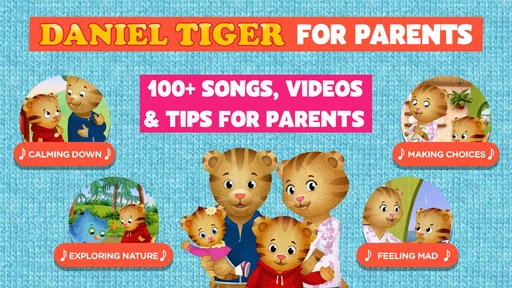
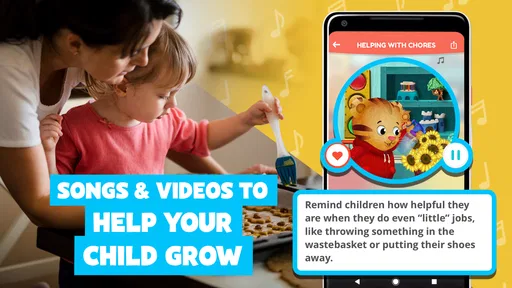
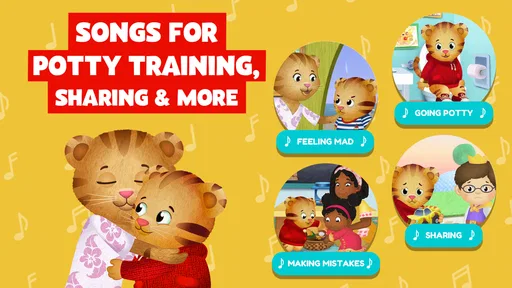

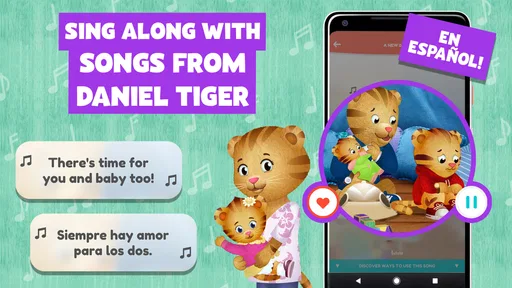
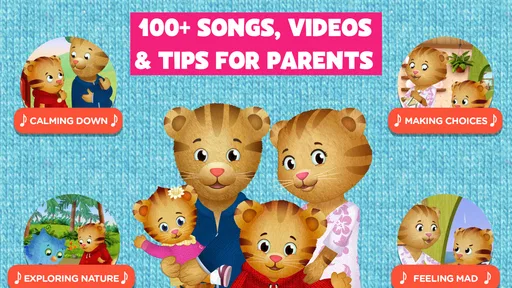
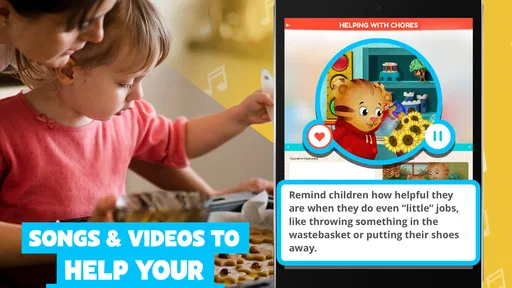
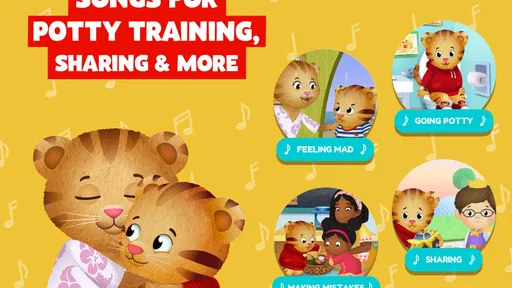
Our Review of Daniel Tiger for Parents
 Analysis by Appyee
When a toddler is struggling with a small but very real problem—washing hands, getting dressed, calming down, or handling a change in routine—an ordinary video can hold attention without necessarily helping the child understand what to do next. Daniel Tiger for Parents takes a more practical route. I see it as a parenting app built around familiar everyday lessons, with Daniel Tiger acting as a friendly guide rather than the whole experience being treated like a game.
I tested it with a simple question in mind: does it help a parent turn a difficult moment into a manageable learning opportunity, or is it mainly another screen activity? My answer is somewhere in the middle, but the useful side is clear. The app is best when I use it deliberately, before or during a predictable toddler challenge, rather than handing it over as unlimited entertainment.
It is a free app from PBS KIDS in the parenting category, rated for Everyone. The current version is 2.0.0 and it works with Android 7.0 or later. Its average rating is 3.7 from around 800 ratings, and it has passed 500 thousand installs, so it has reached a substantial audience without being presented as a specialist parenting course.
How I Decided Whether It Was Worth Keeping
For this kind of app, I do not judge it by the same standards I would use for a drawing tool or a full educational game. The important questions are more specific: can a parent find the right lesson quickly, does the language suit a young child, can the activity lead naturally into real life, and does it remain useful after the novelty of Daniel Tiger wears off?
The first criterion is timing. A toddler usually does not need a general lecture about good behavior. They need help with the exact transition happening now. An app that takes too long to navigate, or offers lessons without a clear connection to daily routines, loses much of its value. I found that the strongest way to use this title is to choose a topic when the child is calm, then return to the same idea when the situation appears in real life.
The second criterion is the parent’s role. This is not the sort of app I would leave running in the background while I do housework. Its lessons work better when I stay nearby, repeat the key idea in my own words, and immediately connect it to something the child can do. The screen can introduce the message, but the parent supplies the reassurance, boundaries, and follow-through.
The third criterion is age fit. The Everyone rating makes it broadly accessible, but toddlers differ greatly in language, patience, and independence. A child who enjoys familiar characters may respond quickly, while another may focus only on the animation. I would not assume that a younger toddler will understand every lesson simply because the presentation looks friendly.
Finally, I considered whether the app earns space on a family device. Free access is an obvious advantage, especially for parents who want to try a resource before committing money. But free does not automatically mean frictionless. The real value depends on whether the app helps with a recurring family need rather than becoming one more icon that nobody opens after the first week.
What the experience feels like in an ordinary home
A realistic use case is the morning rush. A toddler refuses to get dressed, the parent is preparing breakfast, and repeated instructions are making everyone more frustrated. Instead of introducing the app in the middle of the argument for the first time, I would open a relevant lesson on a quieter afternoon. We could watch together, talk about the character’s problem, and then practice choosing between two shirts.
The next morning, I could refer back to that shared experience: “Let’s try the same steps we practiced.” That small connection is more important than simply watching the content. The app becomes a reminder and a conversation starter, not a substitute for the parent’s instruction.
A similar approach can work around handwashing or bedtime. I would use it before the routine becomes urgent, then keep my spoken prompt short. Toddlers often respond better when the lesson is turned into one visible action—walking to the sink, picking up pajamas, or putting one toy away—rather than a long explanation about why the routine matters.
Where Daniel Tiger for Parents is strongest
The biggest strength is its emotional accessibility. Daniel Tiger is already designed for young children, so the tone feels less like an adult telling a child what they did wrong. That matters when a toddler is embarrassed, tired, or resistant. A familiar character can create enough distance for the child to think about a situation without feeling personally criticized.
I also like the way the app can support consistency between parent and child. Many toddler lessons fail because adults repeat them differently every time. One parent says “be patient,” another says “stop whining,” and the child receives a collection of vague instructions. Using the same app-based theme gives the family a shared phrase or example to return to, even though I still recommend adapting the wording to the child.
Another less obvious advantage is that it can help a parent prepare rather than react. I found it more useful as a planning tool for predictable friction than as an emergency fix. If a child regularly struggles with sharing, waiting, or changing activities, I can introduce the idea during a neutral moment. That gives the child a chance to process it before emotions are already high.
The app also fits parents who prefer guided media over open-ended entertainment. A general cartoon may be enjoyable, but it can be difficult to turn the story into a practical conversation. Here, the parenting purpose is clearer. I can ask, “What happened when Daniel felt upset?” or “What could we try next?” Those questions make the viewing more active without requiring a formal lesson plan.
Its free price makes experimentation easy. I would feel comfortable trying it with a child, observing which topics attract attention, and removing it if it does not fit the family’s routine. That is different from paying for a large subscription before knowing whether the child responds to the format.
Small details that improve the way I would use it
My first practical tip is to avoid presenting it as a reward for misbehavior. If the app appears only after a tantrum, the child may learn that escalating creates screen time. I would introduce it during a calm part of the day and describe it as something we do together to practice a skill.
My second tip is to stop before the child loses interest. Parents often feel pressure to finish every activity, but a short, positive session is more useful than forcing attention. If the child starts wandering away, I would end the conversation and try the real-world practice later. The goal is not completion; it is recognition of the lesson when the relevant moment arrives.
My third tip is to pair one app topic with one household routine. If the focus is patience, I might use it before waiting for a snack. If it is independence, I might connect it to putting on shoes. Keeping the connection narrow makes the lesson easier to remember and prevents the app from becoming a vague collection of moral messages.
A fourth useful habit is to let the child explain the situation in their own words. I would not quiz them on the “correct” answer. Instead, I might ask what Daniel wanted, what made the situation difficult, and what the child would try. This reveals whether the toddler understood the emotional problem or merely repeated a phrase.
Limits parents should notice before relying on it
The app cannot observe the child’s actual situation. It does not know whether a refusal comes from tiredness, sensory discomfort, hunger, fear, or a developmental difference. A lesson about cooperation may be helpful in one moment and completely wrong in another. I would treat the content as a starting point, not a diagnosis or a universal solution.
There is also a risk of oversimplification. Everyday lessons can sound neat on a screen, while real family routines are messy. A child may understand that waiting is important and still be unable to wait when exhausted. If a parent expects the app to produce immediate behavior change, disappointment is likely. Repetition and calm adult support remain necessary.
The character-led presentation may not suit every child. Some toddlers become more interested in the recognizable figure than in the situation being discussed. Others may prefer hands-on play, picture books, or a parent’s direct demonstration. If the child consistently watches without connecting the idea to action, I would switch methods rather than increase screen time.
It is also not the right choice for a parent seeking detailed developmental tracking. I would not use it as a record of progress, a structured behavior program, or a replacement for professional advice. Its strength is approachable guidance around ordinary moments, not individualized assessment.
How it compares with the usual alternatives
Compared with ordinary children’s videos, this app has a clearer parenting purpose. A general cartoon may be better for relaxed entertainment, but it usually requires the adult to create the teaching connection afterward. Daniel Tiger for Parents gives me a more obvious starting point for talking about routines and feelings.
Compared with a picture book, the app may be easier to use when a child is drawn to movement and familiar screen characters. A book is often better for slowing down, asking questions, and revisiting a page at the child’s pace. I would choose the book when I want a quiet bedtime conversation, and the app when I need a more immediate visual prompt before a daily routine.
Compared with a dedicated preschool learning game, this app is less about practice through repeated interaction and more about social-emotional guidance. A game may be the better option for early numbers, letters, puzzles, or fine-motor engagement. I would not install this expecting a broad academic curriculum.
Compared with a parenting article or advice website, the app is easier to share with a toddler because the message is presented through a child-friendly character. Written advice is better when I need background, nuance, or guidance about a complicated family issue. The app is more useful for opening a conversation than for answering every parenting question.
That comparison also clarifies who should skip it. I would look elsewhere if I wanted offline craft ideas, detailed schedules, developmental milestones, or a large collection of interactive educational subjects. I would also skip it as a primary solution if my child dislikes character-based media or becomes dysregulated by screens. A calm parent-led routine can be more effective than any app in those cases.
What switching away would involve
The cost of trying this app is low because it is free, but switching still has a practical cost: the family may lose a shared reference that has begun to make routines easier. If Daniel Tiger becomes part of the child’s vocabulary for feelings or transitions, replacing it means choosing another consistent language rather than simply deleting the app.
That does not mean I would keep it out of loyalty. If the child is not engaging, I would move to a book, role-play, visual routine, or direct practice. The important thing is to preserve the method that works—introducing one skill calmly, modeling it, and practicing it later—not necessarily the particular screen tool.
Families should also consider device habits. If opening the app always leads to arguments about stopping, the supposed benefit may be outweighed by the transition problem. In that situation, I would set a clear beginning and ending, keep the device in the parent’s hands, and move immediately into the real activity. If that still fails, a non-screen alternative is the better fit.
My recommendation for different kinds of families
I recommend it most strongly to parents of toddlers who want a gentle way to discuss everyday behavior and who are willing to watch alongside the child. It is especially suitable when a family is dealing with recurring routines and wants a familiar character to make the conversation less confrontational.
I recommend a cautious trial for parents who are unsure about screen use. Keep the session short, choose one relevant topic, and judge the result by what happens afterward. If the child becomes more willing to talk, imitate a routine, or recognize a feeling, the app is doing something useful. If it only produces demands for more viewing, it is not earning its place.
I would not recommend relying on it for serious behavioral concerns, complex emotional needs, or broad early-learning goals. In those situations, a pediatric professional, a carefully chosen book, a structured routine, or a different educational tool may be more appropriate.
Overall, Daniel Tiger for Parents works best as a bridge between screen content and real family practice. It is not magic, and it is not a complete parenting system. What I value is its ability to give a parent a simple, child-friendly starting point for conversations that can otherwise become repetitive or tense.
With the right expectations, I would keep it available as an occasional support rather than a daily default. The strongest result comes when I watch with my child, connect one lesson to one routine, and then put the device away. For a free parenting app from PBS KIDS, that is a worthwhile role: small, practical help during life’s ordinary toddler challenges.
Since its release on February 1, 2017, it has remained an accessible option for families using compatible Android devices, and the Everyone age rating makes it easy to consider in a shared household. My final judgment is simple: choose it for guided conversations and routine practice, not passive babysitting. That distinction is what determines whether it becomes genuinely helpful or just another unused app.
For parents who want a friendly first step, I think it is worth trying. For parents who need deeper instruction, measurable learning progress, or a screen-free approach, I would choose another category of resource instead. The app succeeds when it stays in its proper place: a familiar prompt that helps a parent and toddler practice one small life lesson together.
Privacy and Permissions
See what permissions an app requests and how it handles your data.
- Other
- view network connections, full network access, prevent device from sleeping
Verdict
Strengths of Daniel Tiger for Parents
- Age-appropriate activities support preschool learning and emotional growth.
- Parent tips help reinforce routines and lessons away from the app.
- Familiar Daniel Tiger characters make guidance engaging for young children.
- Simple navigation allows parents to find activities quickly.
- Useful for starting conversations about feelings and everyday challenges.
Limitations of Daniel Tiger for Parents
- Some content may require in-app purchases or a subscription.
- Activities can feel repetitive after extended use.
- The app may be less engaging for children unfamiliar with the show.
- Limited value for older children beyond the preschool age range.
- Requires parental involvement to get the most educational benefit.
Other Releases by PBS KIDS
View All
PBS KIDS Video
Education4.3

PBS KIDS Games
Educational4.3

Explore Daniel's Neighborhood
Educational3.4

Wild Kratts Rescue Run
Educational4.2
Similar Picks in This Category
View All
Family Space
Motorola Mobility LLC.3.9

شرطة الأطفال - مكالمة وهمية
Oub Apps4.1

Findmykids: Parental Control
LETEM LTD4.6

Pregnancy + | Tracker App
Philips Electronics UK Limited4.8

Policía de niños - para padres
Kids police4.7

Pregnancy App
Amila4.9
Frequently Asked Questions
What is Daniel Tiger for Parents, and who is it designed for?
Daniel Tiger for Parents is a family-focused companion app designed for parents and caregivers of young children, especially preschoolers familiar with the Daniel Tiger’s Neighborhood series. It provides practical support for everyday routines, emotions, and common childhood challenges through themed activities, songs, videos, and parenting suggestions inspired by the show’s friendly characters.
What kind of activities and parenting resources are included in the app?
The app typically offers resources organized around situations that young children commonly experience, such as bedtime, using the toilet, trying new foods, managing frustration, sharing, and preparing for changes. Parents can explore short videos, songs, conversation prompts, and activity ideas intended to help children understand feelings and practice positive habits in a relaxed, age-appropriate way.
Can Daniel Tiger for Parents be used without an internet connection?
Some features may require an internet connection, particularly when streaming videos, loading new content, or accessing external resources. Depending on the version and device, selected materials may be available after they have been loaded, but users should not assume that the entire app works offline. It is best to open the app while connected before traveling or using it away from Wi-Fi.
Is Daniel Tiger for Parents free to download, and are there additional costs?
The app’s availability, pricing, and included content can vary by platform, region, and current publisher policies. Some versions may be free to download with a broad selection of resources, while other content or features could involve in-app purchases or subscription-related access. Before installing, parents should review the Google Play or App Store listing for the latest pricing and purchase information.
Is Daniel Tiger for Parents suitable for independent use by children?
Although children may enjoy the familiar characters, Daniel Tiger for Parents is primarily intended to support adults rather than replace parental guidance. Parents should explore the content with their child, discuss the situations shown, and adapt the suggested activities to the child’s age and needs. The app can encourage conversations and routines, but it should not be treated as professional medical, developmental, or behavioral advice.
